Background
Occlude is a Danish company offering sports equipment for blood flow restriction (BFR) training.
I discovered their challenge listing and was immediately interested, given my personal enthusiasm for exercise, my understanding of BFR, and the unique constraints of designing for an embedded device with limited screen size and internal memory.
Blood flow restriction training involves using a cuff to limit blood flow to targeted muscles, enabling significant muscular benefits using lower resistance. This method is especially valuable for athletes rehabilitating from injuries, as it allows effective training with reduced joint stress.
Task Description
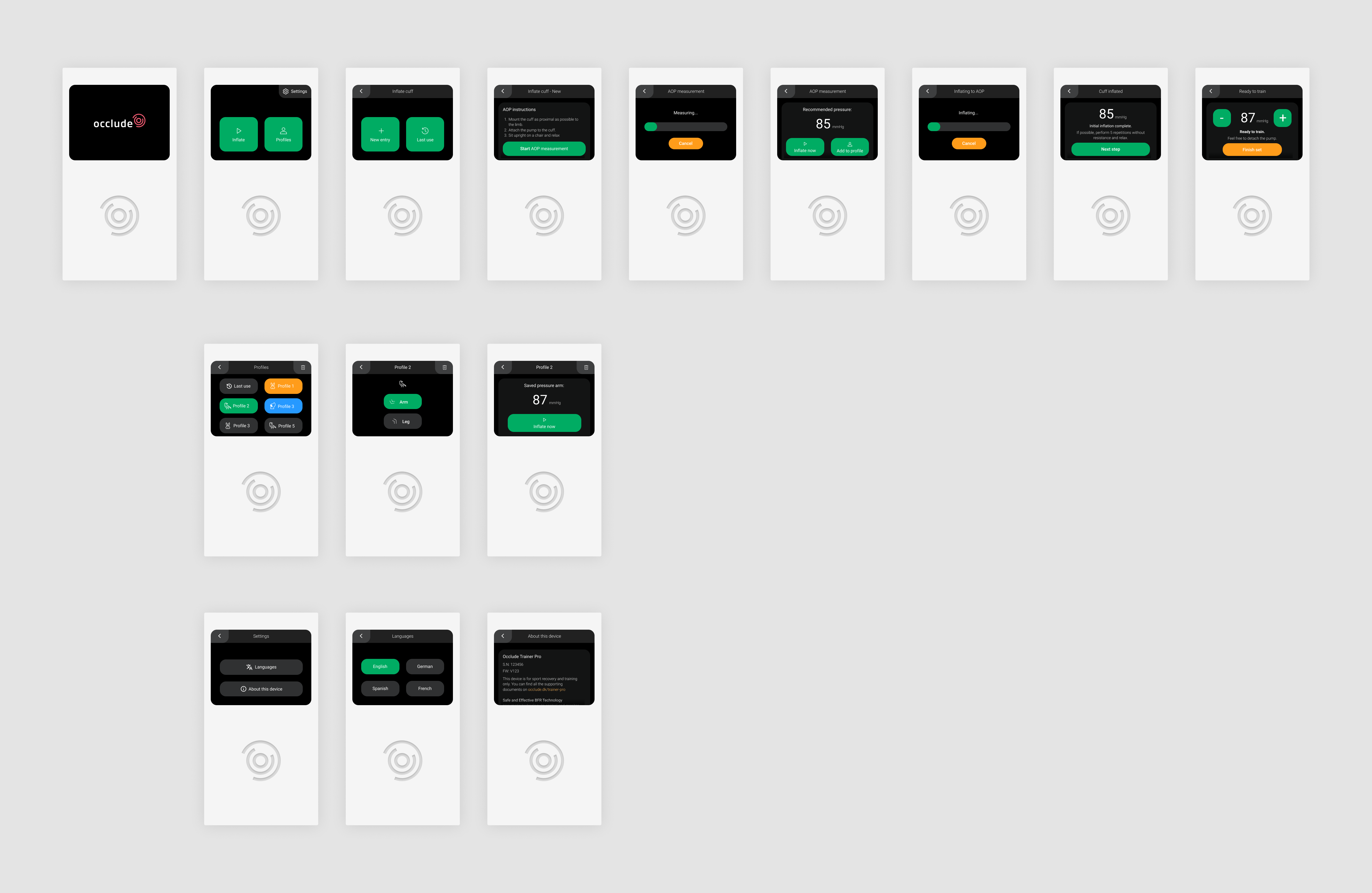
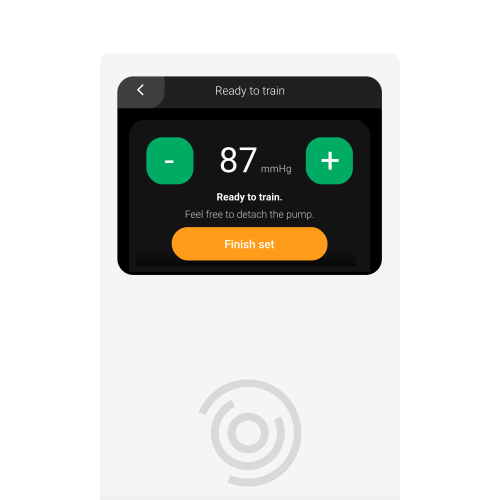
My objective was to finalize the user interface design for an embedded electronic pump used in BFR exercises, specifically:
- Optimize visual styling for clarity and ease of use
- Ensure intuitive interactions within constraints
- Design for a screen size of 320x240 pixels
- Respect memory constraints: maximum of 1 MB (excluding images/videos)
- Company details: Occlude
- Project urgency due to upcoming physiotherapist user testing
Approach with Constraints
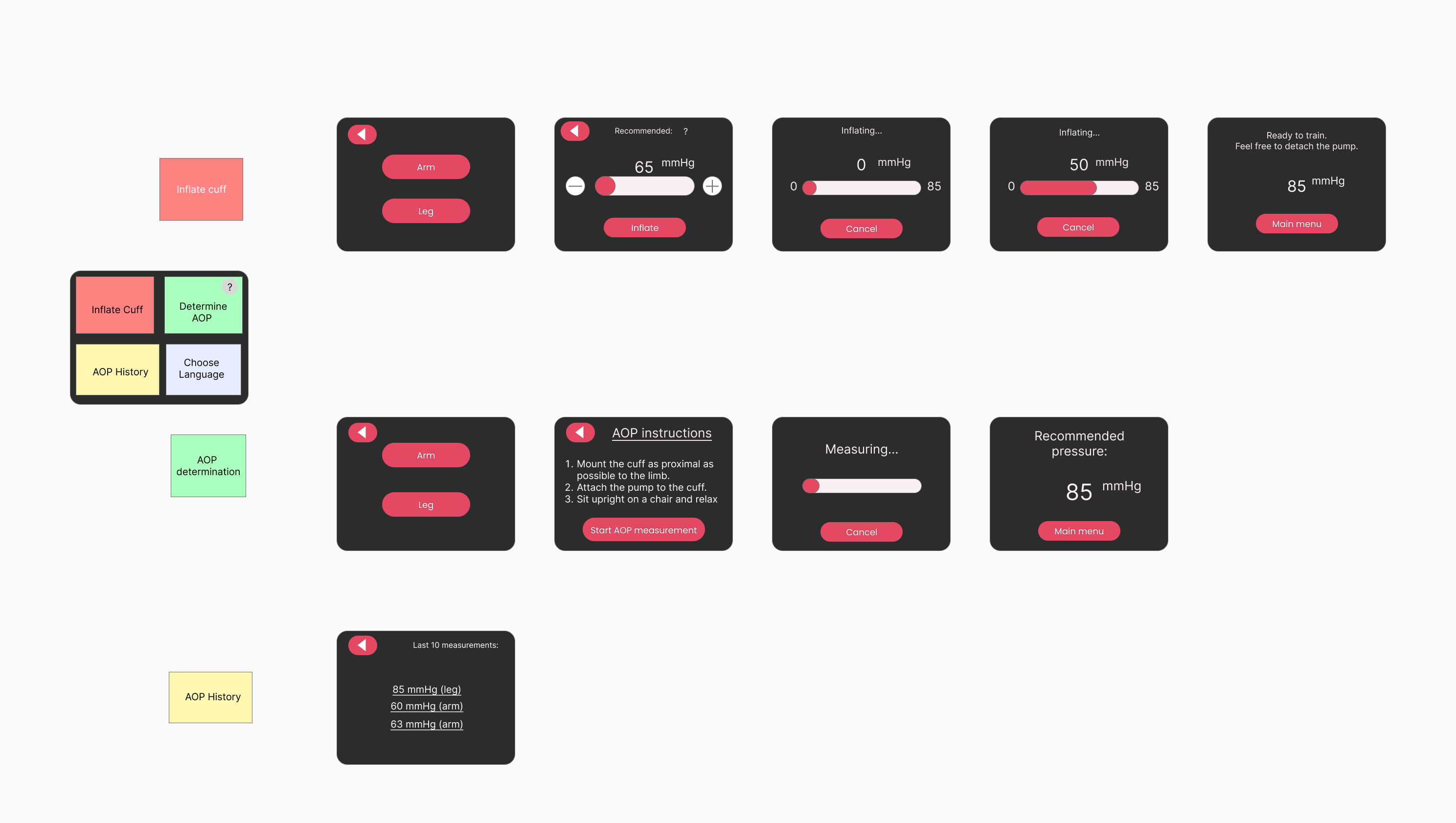
Given limited resources and the inability to perform extensive user interviews upfront, I conducted practical research (watching professional BFR training sessions online) and engaged in simulated role-playing scenarios to empathize with potential users.
Early roleplaying revealed issues with the initial design flow, validating the necessity for thoughtful UX improvements.
Improving User Experience Under Constraints
Efficient Icon Usage
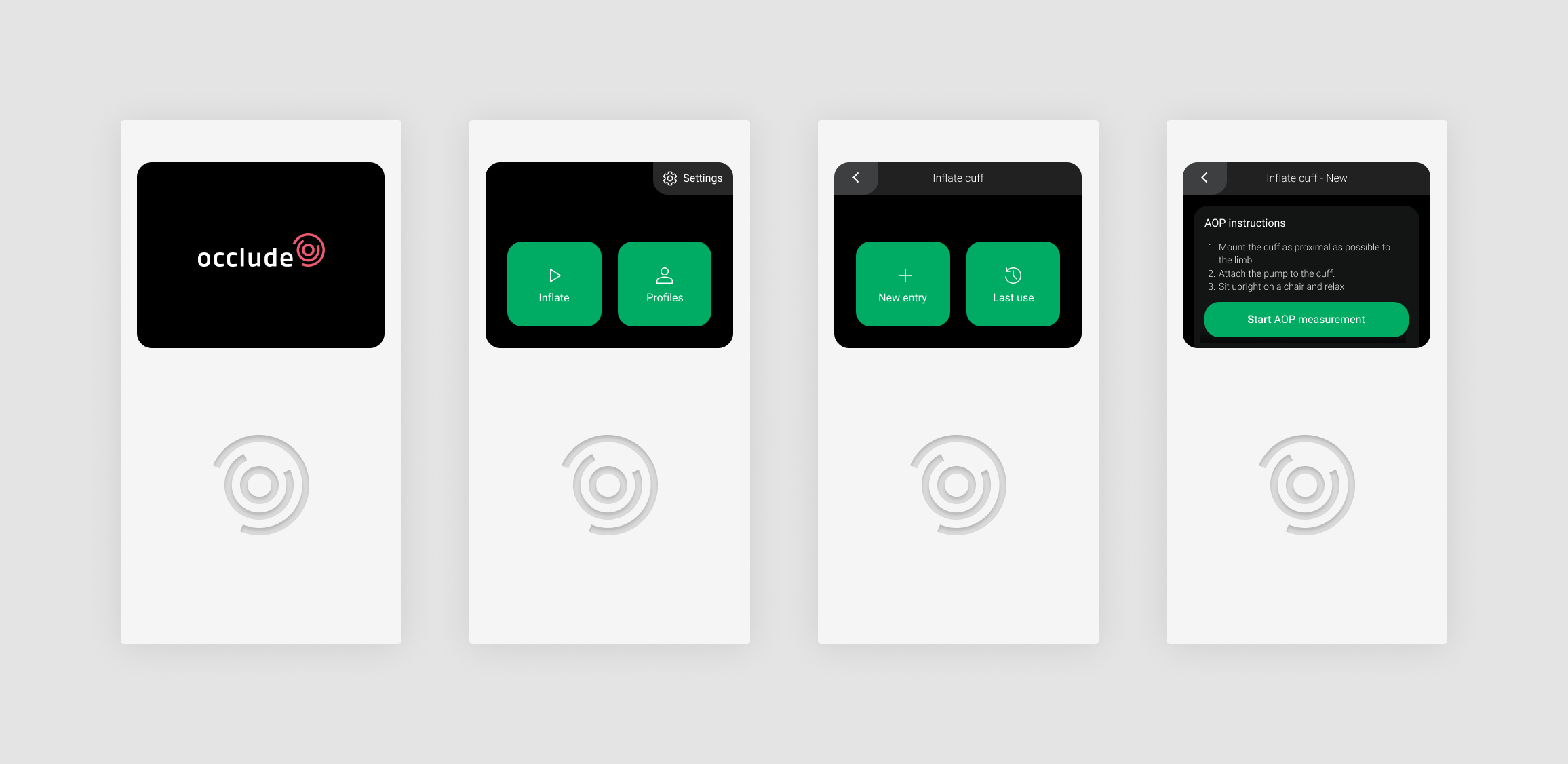
Despite the 1 MB memory constraint prohibiting images, I recognized the importance of visual aids for usability. By carefully compressing SVG icons, I managed to integrate helpful visual elements while adhering to storage limitations (under 10 KB).
Intuitive Profile Saving
The digital advantage of the device is memory retention of previous measurements, crucial for multiple users. To overcome limitations in data entry (such as usernames), I introduced intuitive animal avatars, clearly allowing users to identify their measurements without manual input.
Accessible Device Information
Recognizing varied user scenarios, I added an informative "About this device" section. This enhancement provides essential device insights, improving usability and offering straightforward access to additional product information or purchasing options.

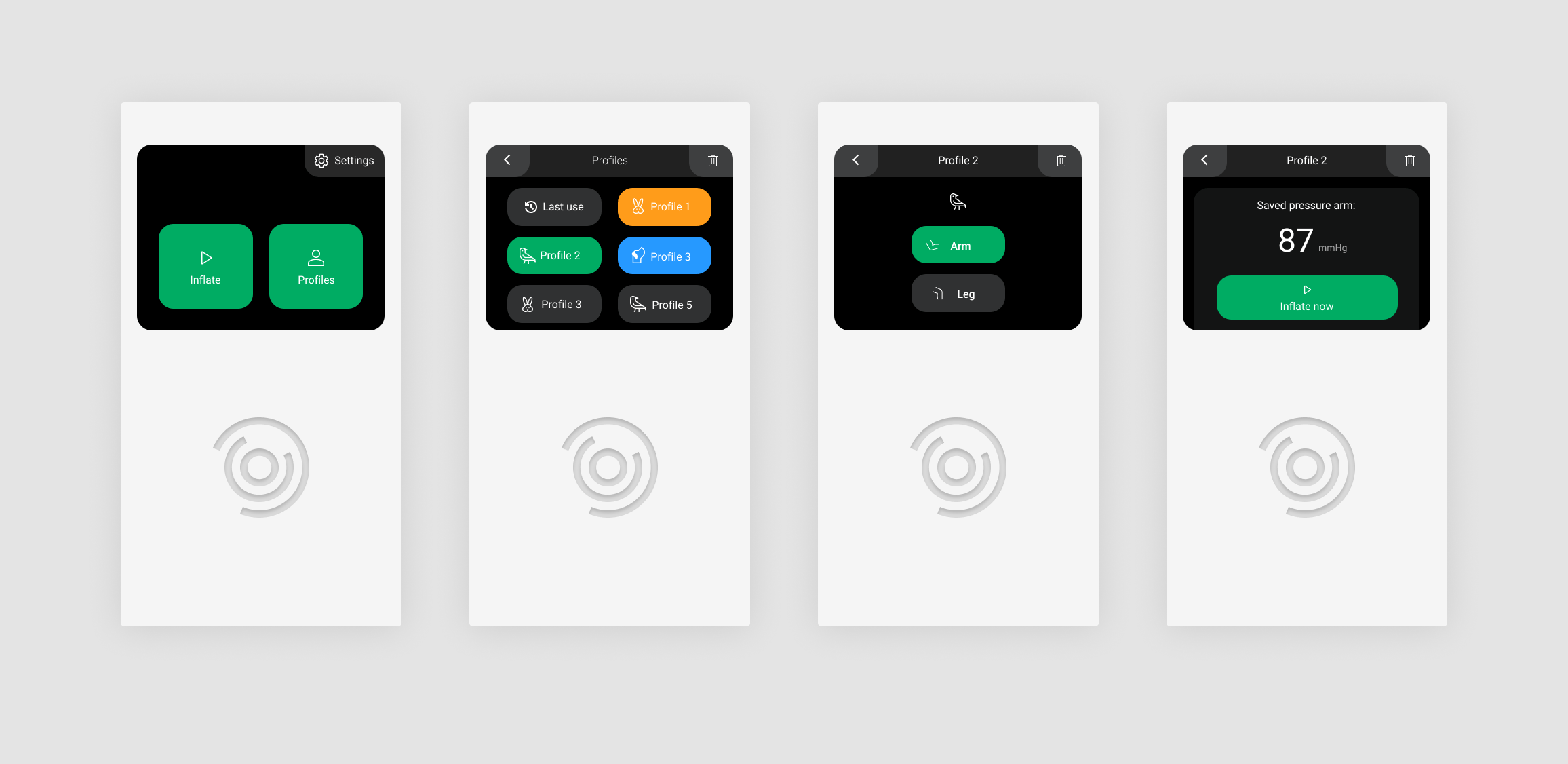
Simplifying Frequent Use
A critical UX improvement streamlined repeated usage by effortlessly recalling the last-used pressure settings. This significantly simplified the most frequent scenario-athletes regularly training a specific limb.
Main Takeaways
Transitioning from mobile app design to the challenges of embedded device UX proved rewarding and enlightening. I thoroughly enjoyed optimizing the user experience within physical and technical constraints, emphasizing clarity and practical usability. Although this proposal did not result in a contract, the insights gained were immensely valuable, refining my approach to user-centric, constrained environment design.